

Affiliate Disclosure: This post contains affiliate links. If you purchase through my link, I may earn a commission at no extra cost to you. I only review products I believe will provide value to my readers.
Webinars are one of the highest-converting sales tools in existence. They allow you to build trust, demonstrate value, and pitch an offer all in one sitting. The problem? Building a webinar from scratch is a nightmare. You have to write the script, design dozens of slides, record the voiceover, set up the registration funnel, and then actually show up live to present it.
EverPitch claims to solve this entire headache by using AI to write, design, voice, and run your webinar for you.
I recently gained access to the platform to see if it lives up to the hype. In this comprehensive EverPitch review, I will break down how it works, its features, my hands-on experience with the demo, the exact pricing and OTOs, and whether it’s the right investment for your business.
🚀 Get EverPitch & Skip the Upsells
If you are ready to automate your webinar funnel, use my exclusive links below to lock in the current launch pricing:
👉 Get EverPitch Commercial (Front End $37) Here
👉 Get The EverPitch Bundle (Best Value) Here
(Don’t forget to use the EPBUNDLE coupon code at checkout for extra savings).
What Is EverPitch?
EverPitch is an AI-powered webinar platform. Instead of building slides and recording audio yourself, you feed the software a topic, a document, a link, or even an old recording, and it generates a fully produced webinar—complete with a script, designed slides, and a realistic AI voiceover.
But it goes beyond just creating the webinar. It hosts and runs it on a schedule automatically. It acts as your own personal webinar team, running 24/7 in every viewer’s timezone.
The main problem it solves is the massive time investment required to create and run evergreen webinars. It makes automated webinars accessible to coaches, affiliates, and agencies who don’t have the technical skills or the time to build them manually.
How Does EverPitch Work?
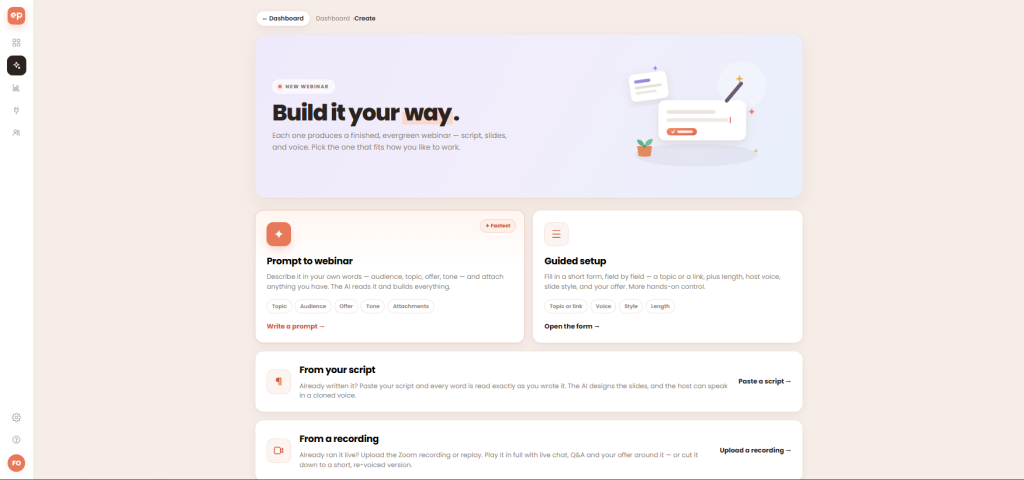
What makes EverPitch unique is its flexibility in how you start the process. There are multiple ways to feed data into the engine:
- Prompt to Webinar: Just type a topic (e.g., “How to train a puppy”).
- Guided Setup: Answer a few questions about your offer and target audience.
- From Your Script: Upload a document or paste an existing script.
- From a Recording: Upload an old Zoom call or video recording.
- Done-for-you webinars: Use the pre-built kits included in the upgrades (more on this below).
Once you provide the input, EverPitch generates the script, selects a visual style, creates the slides, and generates the voiceover. You can then edit the generated content or start the automated scheduling process.
1. Dashboard Overview
2. Build your way
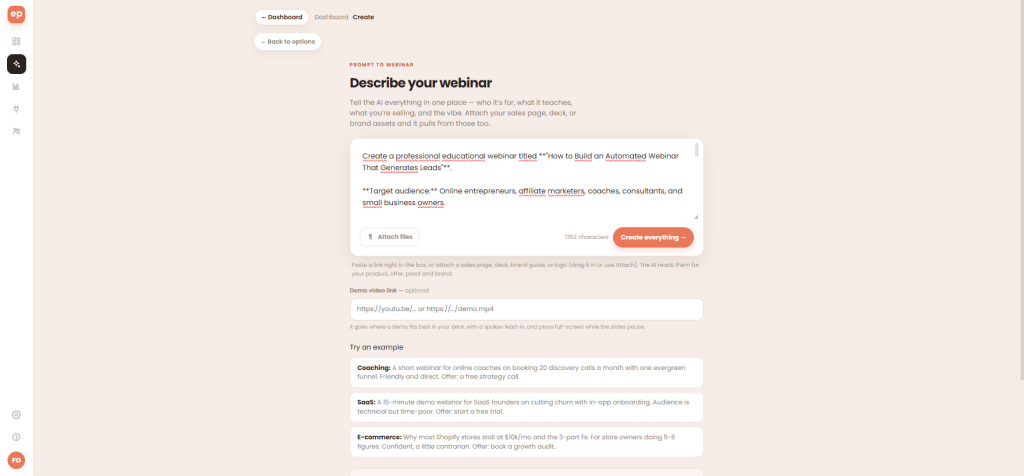
3. Prompt to Webinar
4.Results
5.
EverPitch Features (Hands-On Breakdown)
Here is a breakdown of the core features and why they matter:
- AI Webinar Script & Slide Generation: It generates the full presentation script and slides. You get 73 slide layouts across 11 visual styles. The practical benefit: You skip the 10-hour design phase entirely.
- AI Voiceover: It generates natural-sounding audio using 30 different voices across 87 languages. The practical benefit: No need to record yourself. You can sell to international audiences with the click of a button.
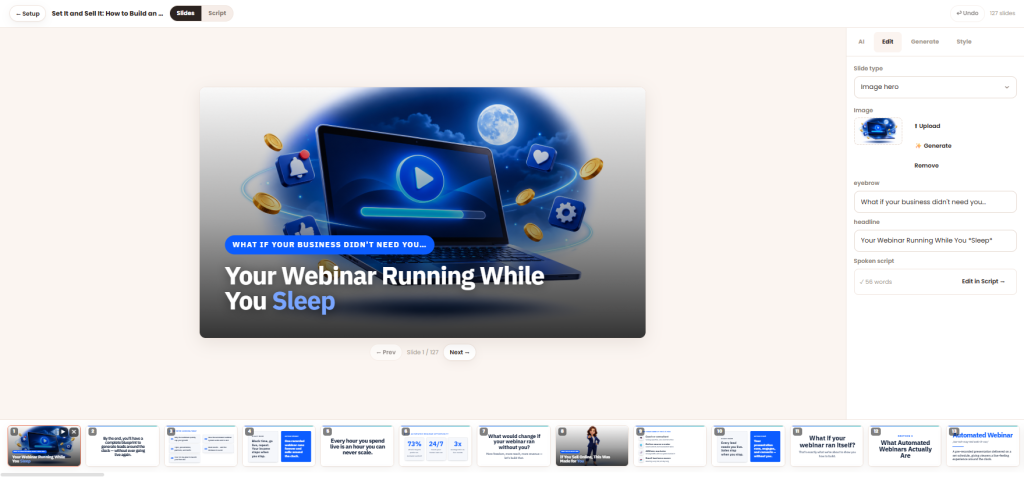
- Chat-Based Editing: Instead of dragging and dropping elements, you can edit slides by typing plain text commands (e.g., “Make this slide dark mode” or “Change this image to a dog”). The practical benefit: It removes the steep learning curve of traditional presentation software.
- The Live Webinar Room & AI Q&A: This is the standout feature. The platform presents the webinar on a scheduled loop without you being there. The AI Q&A host answers viewer questions out loud, pulling answers strictly from the webinar’s content. The practical benefit: It mimics a live experience, increasing engagement and conversions while you sleep.
- Full Funnel Built-In: Includes 31 registration page templates, timezone-adjusted scheduling, email reminders, follow-ups, a replay page, and built-in Stripe/PayPal checkout.
- Agency/Client License (OTO 3): Allows you to run webinars for clients with no “Powered by EverPitch” branding.
My EverPitch Demo and Walkthrough
Disclosure: I was given review access to test the dashboard and review the vendor’s demo video. Here is my honest breakdown of the experience.
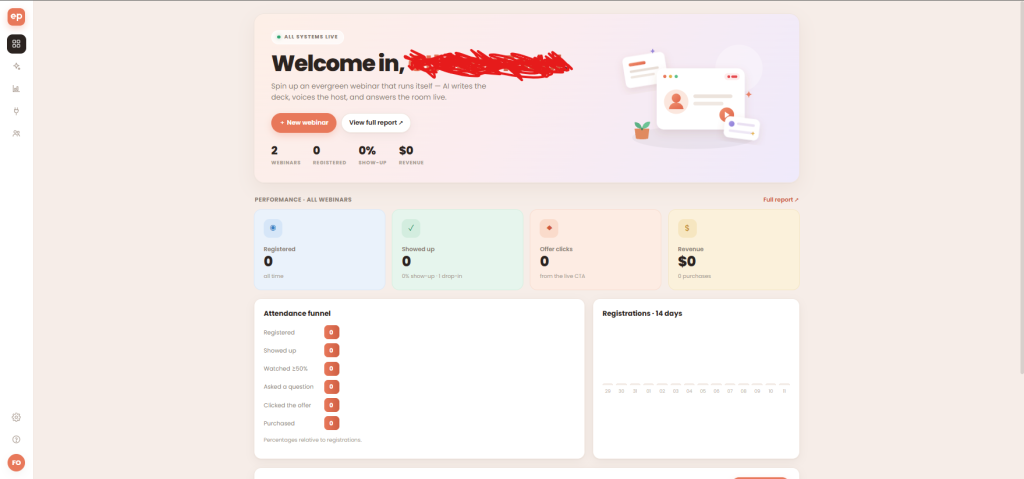
When I logged into the dashboard, the interface was clean and surprisingly simple. It doesn’t look like a complicated video editing suite; it looks more like a standard form builder.
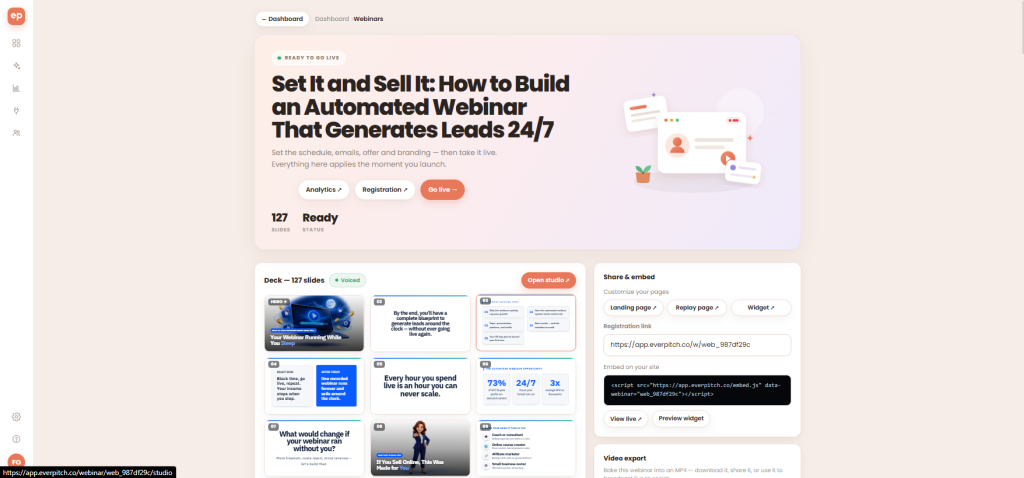
I tested the “Prompt” feature. I entered a topic related to affiliate marketing. Within a couple of minutes, it generated a complete script, a professional-looking slide deck, and a loaded voiceover track.
The chat-based editing worked exactly as advertised. I asked it to change the color scheme on a specific slide, and it did it instantly.
I also checked out the demo video provided by the vendor to see the AI Q&A in action. The AI voice interacts with text prompts naturally. As per the vendor’s documentation, this AI Q&A pulls strictly from the webinar’s content, ensuring it doesn’t make up facts or go off-topic.
What I didn’t test personally: I did not run a full live webinar to a large audience to test the stress limits of the streaming server. However, based on the backend setup and the 30-day guarantee, the infrastructure appears robust.
The Funnel Overview
Here is the visual breakdown of how the EverPitch funnel is structured during this launch:
(Insert the screenshot you provided here, showing the 5-tier funnel.)
EverPitch Pros and Cons
The Good:
- Massive Time Saver: Creating a 30-minute webinar normally takes 8-10 hours. EverPitch does it in minutes.
- True Evergreen Automation: The AI Q&A host makes automated webinars feel personal and interactive, which is a huge step up from traditional “fake live” pre-recorded webinars.
- No Camera/Equipment Needed: The AI voices are high quality, and you never have to record your screen.
- Built-In Funnel: You don’t need to pay for a separate landing page builder or email autoresponder just for your webinar.
- 30-Day Guarantee: The vendor offers a risk-free guarantee, which shows confidence in the product.
The Bad:
- It’s Still Automated: While the AI Q&A is great, an experienced buyer can still tell it’s not a live human. It works best for top-of-funnel or low-ticket offers where human interaction isn’t strictly necessary.
- Credit Limits: The front end comes with 3,000 credits a month. If you plan to create a lot of webinars, you will likely need the Credit Boost bump or the Bundle.
- Voiceovers: While the AI voices are good, they are AI. If your brand relies heavily on your personal voice and personality, this tool won’t replace you.
Who Should Use EverPitch?
- Affiliate Marketers: Rapidly build review webinars for JVZoo/WarriorPlus launches and automate the sales process.
- Coaches & Consultants: Run a webinar pitching your high-ticket coaching program every day without being tied to your computer.
- Agencies: Use the Agency upgrade to build webinar funnels for local clients or other businesses.
- Course Creators: Turn old PDFs and docs into interactive webinars to promote your next cohort.
Who Might Not Need EverPitch?
If you are a high-ticket B2B consultant whose entire sales process relies on deep, live, back-and-forth human interaction, EverPitch is not a replacement for that. It is best used for scalable, evergreen sales processes.
If you already have a massive team that builds your live webinars for you, you might not need the automation.
EverPitch Pricing and OTO Details
Here is the exact pricing funnel for the EverPitch launch. (Note: These are introductory launch prices and may increase).
Front End: EverPitch Commercial—$37 (One-Time)
- Includes every EverPitch feature.
- 3,000 credits a month.
Order Bump: Credit Boost—$77/Yr
- Raises the account to 8,000 credits a month.
OTO 1: EverPitch DFY Webinars—$67 (One-Time)
- 10 finished, voiced webinars copied directly into your account. Ready to launch.
OTO 2: EverPitch Kit Vault—$47 (One-Time)
- 24 ready-made webinar kits.
OTO 3: EverPitch Agency—$77 (One-Time)
- Client license, and removes the “Powered by EverPitch” branding.
OTO 4: EverPitch Ultra—$97/Yr
- Premium AI features plus streaming capabilities.
Best Value: EverPitch Bundle – $197 (One-Time)
- Includes commercial, DFY webinars, Kit Vault, agency, and 8,000 credits a month.
- Use Coupon Code EPBUNDLE for extra savings.
Mega Bundle Add-Ons (Requires Bundle Purchase):
- Mega Bundle Gold—$197/yr: 10,000 credits a month and Ultra.
- Mega Bundle Platinum—$347/yr: 25,000 credits a month, Ultra, and 50 reseller accounts.
EverPitch Coupon Code
To get the best deal on this launch, use the following coupon code:
EPBUNDLE
Important: The vendor has noted that the exact discount amount may change throughout the launch week. Please verify the final discount and eligibility at the checkout page before completing your purchase.
Is EverPitch Legit?
Yes, EverPitch is a legitimate software platform. The vendor provides a clear demo video, review access for testers, and a solid 30-day money-back guarantee on the front end.
The software does exactly what it claims to do: it uses AI to generate webinar assets and hosts them automatically. It is not a “get rich quick” scheme; it is a tool that automates a proven marketing strategy. To get results, you still need a good offer and a targeted audience.
Frequently Asked Questions
What is EverPitch?
It is an AI webinar platform that creates, designs, voices, and hosts automated webinars for you.
Is EverPitch beginner-friendly?
Yes. If you can use a basic web form, you can use EverPitch. The chat-based editing makes it very user-friendly.
Can EverPitch create webinars automatically?
Yes. You can give it a prompt, a document, or a URL, and it generates the full webinar in minutes.
Can I use my own script?
Yes, there is an option to upload your own script or document.
Does EverPitch support different languages?
Yes, the AI voiceover supports 87 languages.
Can I customize generated slides?
Yes, through chat-based commands or traditional editing tools.
Does EverPitch support evergreen webinars?
Yes, it runs on a scheduled loop automatically.
Is EverPitch suitable for agencies?
Yes, the Agency OTO allows you to white-label the webinars for clients.
Final Verdict – Is EverPitch Worth It?
EverPitch solves a massive bottleneck in the marketing world: the time it takes to create and run webinars.
If you are an affiliate, coach, or agency owner who wants to add evergreen webinars to your funnel but you don’t want to spend 10 hours designing slides and recording audio, this is one of the most practical tools released this year.
The AI Q&A feature alone makes it worth the price of admission, as it keeps viewers engaged far longer than a standard pre-recorded video.
My Recommendation: The Front End ($37) is a low-risk entry point. However, the **EverPitch Bundle ($197)** is the most logical purchase. It includes the Agency license (so you can use it for clients), the DFY webinars, and 8,000 credits, saving you from having to buy the OTOs separately.
👉 Click Here to Get the EverPitch Bundle (Use Code EPBUNDLE)
👉 Click Here to Get EverPitch Commercial ($37)
Looking to upgrade the rest of your marketing stack? Check out our curated list of the Best Video & Webinar Tools for Marketers here.